Quick Post: Quick Post: Expanding MetalLB IP Pool to Fix Pending Status
I’ve been using MetalLB for a while now in my Kubernetes Clusters and it’s a great easy way to achieve high availability networking for service endpoints. For an overview of MetalLB, head to this earlier post. When initially deploying MetalLB, I usually configure a fairly small address pool for the Layer 2 mode configuration when playing around in my labs, however in one of my environments I have been deploying a number of new applications that all require a LoadBalanced IP. Because I initially configured a pool of only four or five IPs, I inevitably ran out! While testing out the Terraform HELM provider, I came across this error:
│ Error: timed out waiting for the condition
│
│ with helm_release.awesome-drupal,
│ on test.tf line 31, in resource "helm_release" "awesome-drupal":
│ 31: resource "helm_release" "awesome-drupal" {
Looking at the status of the pod, it was Running, but 0/1 Ready and going into more detail, the Describe command suggested a timeout of some sort.
# kubectl get pods awesome-drupal-release-557586d467-668wr -n default
NAME READY STATUS RESTARTS AGE
awesome-drupal-release-557586d467-668wr 1/2 CrashLoopBackOff 5 12m
It was at that point that I checked the Service status and found the Drupal service for the LoadBalancer in a
# kubectl get svc -ALL | grep pending
default awesome-drupal-release LoadBalancer 10.21.41.164 <pending> 80:31842/TCP,443:30719/TCP 14m
So that service is waiting for an IP Address from the MetalLB pool. Knowing that I already had a number of IPs allocated to existing Service endpoints. I checked to make sure everything was running ok across the Kubernetes Nodes, and then looked to edit the configmap of MetalLB to increase the pool size.
# kubectl get pod -n metallb-system -o wide
NAME READY STATUS RESTARTS AGE IP NODE NOMINATED NODE READINESS GATES
controller-64f86798cc-vrrgd 1/1 Running 6 42d 10.20.19.105 192.168.1.59 <none> <none>
speaker-26k45 1/1 Running 5 42d 192.168.1.57 192.168.1.57 <none> <none>
speaker-qwcc8 1/1 Running 5 42d 192.168.1.58 192.168.1.58 <none> <none>
speaker-r8jq4 1/1 Running 6 42d 192.168.1.59 192.168.1.59 <none> <none>
# kubectl get configmap -n metallb-system
NAME DATA AGE
config 1 42d
kube-root-ca.crt 1 42d
# kubectl edit configmap -n metallb-system
As can be seen below, the existing pool of addresses was small.
apiVersion: v1
items:
- apiVersion: v1
 data:
 config: |
 address-pools:
 - name: default
 protocol: layer2
 addresses:
 - 192.168.1.60-192.168.1.64
 kind: ConfigMap
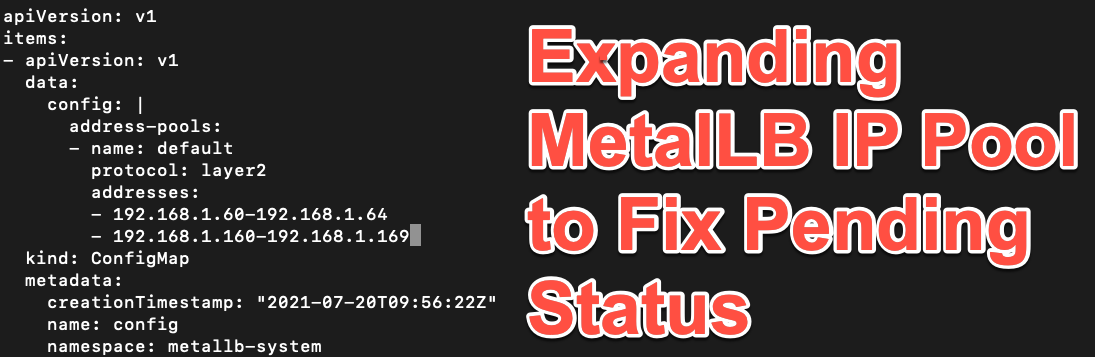
To expand the pool, I added a new range as shown below. The good thing about MetalLB is that the IP ranged don’t need to be in order.
apiVersion: v1
items:
- apiVersion: v1
 data:
 config: |
 address-pools:
 - name: default
 protocol: layer2
 addresses:
 - 192.168.1.60-192.168.1.64
 - 192.168.1.160-192.168.1.169
 kind: ConfigMap
As soon as that was added the Service took the next available IP from the pool and assigned it to the LoadBalancer
# kubectl get svc -ALL | grep drupal
default awesome-drupal-release LoadBalancer 10.21.41.164 192.168.1.161 80:31842/TCP,443:30719/TCP 25m
And the Drupal Pods completed initialization and went into a ready state.
# kubectl get pods awesome-drupal-release-557586d467-668wr -n default
NAME READY STATUS RESTARTS AGE
awesome-drupal-release-557586d467-668wr 2/2 Ready 6 18m
Wrap Up
So that was a very quick way to deal with a