Quick Fix - Unable to Upgrade Distributed Switch After vCenter Upgrade
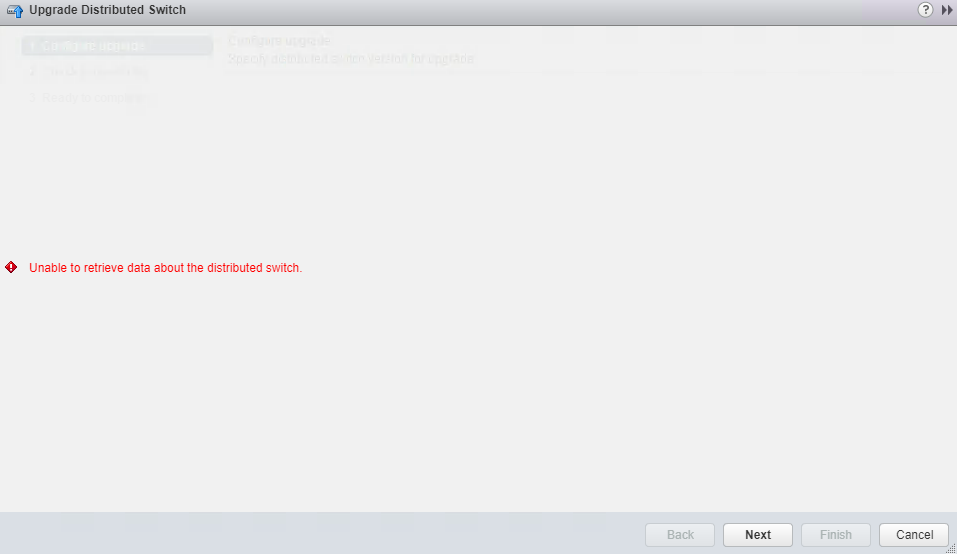
This week I upgraded (and migrated) my SliemaLabs NestedESXi vCenter from a Windows 6.0 server to a 6.5 VCSA …everything went well, but ran into an issue when I went to upgrade my distributed switch to 6.5.0. Even though everything appeared to be working with regards to the host and VM networking associated with the switch, when I went to upgrade it I got the following error:
Doing a quick Google for Unable to retrieve data about the distributed switch came up with nothing and clicking on next didn’t do anything actionable. A restart of the Web Client and a reboot of the VCSA didn’t resolve the issue either.The distributed switch in question was still on version 5.5 as I forgot to upgrade it to 6.0 during the upgrade to vCenter 6.0. Weather that condition somehow caused the error I am not sure…regardless the quick fix or better said…work around is pretty simple; Use PowerCLI.
Name NumPorts Mtu Version Vendor
---- -------- --- ------- ------
PER00-DVS-01 32 1600 6.5.0 VMware, Inc.
Host01 dvSwitch 3124 1600 5.5.0 VMware
Interestingly the Vendor is different…though not sure this caused the issue. In any case the work around is to upgrade the distributed switch using the Set-VDSwitch command.
PS C:\> Get-VDSwitch 'Host01 dvSwitch' | Set-VDSwitch -Version 6.5.0 -WhatIf
What if: Performing the operation "Change vSphere Distributed Switch" on target "Host01 dvSwitch".

PS C:\> Get-VDSwitch 'Host01 dvSwitch' | Set-VDSwitch -Version 6.5.0

Name NumPorts Mtu Version Vendor
---- -------- --- ------- ------
Host01 dvSwitch 3124 1600 6.5.0 VMware
And success! I’m not sure what caused the error to appear in the Web Client but the workaround meant that it became a moot point. Suffice to say if you come across this error in your Web Client when trying to upgrade a distributed switch…head over the PowerCLI.
1 Commentarchived