Quick Fix: vSAN Health Reports iSCSI Target Service Stopped
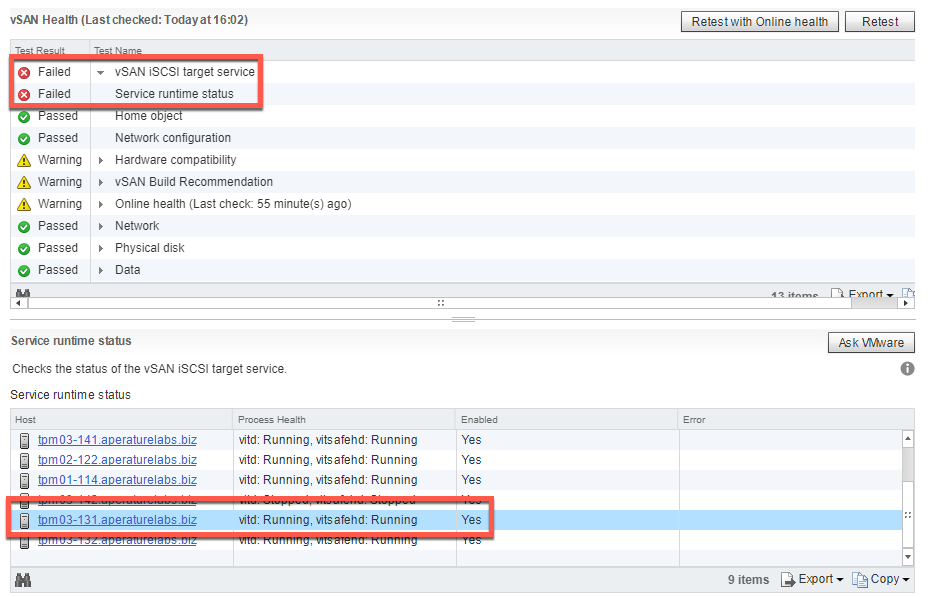
A few weeks ago I wrote about (http://anthonyspiteri.net/setting-up-vsan-iscsi-and-using-it-as-a-veeam-repository/). While still running this POC in my environment I came across an error in the vSAN Health Checker stating the vSAN iSCSI target service was in a Failed state. Drilling down into the vSAN Health check tree I could see a Service Runtime status of stopped as shown below against the host.
This host had recently been marked as unreachable in vCenter and required a Management Agent reset to bring it back online. There is a chance that that process stopped the iSCSI Target service but did not start it. In any case there is an easy way to see the status of the services and then get them back online.
#
#Check Status of iSCSI Target Service
 /etc/init.d/vitd status
vitd is not running
vitsafehd is not running

#Restart or Start Service
 /etc/init.d/vitd restart
vitd is not running
Loading vit module
vitsafehd is starting
vitd is starting

#Check Status again
 /etc/init.d/vitd status
vitd is running
vitsafehd is running

# Check to see if iSCSI Target Service is Enabled at Boot
 esxcli vsan iscsi status get
 Enabled: true
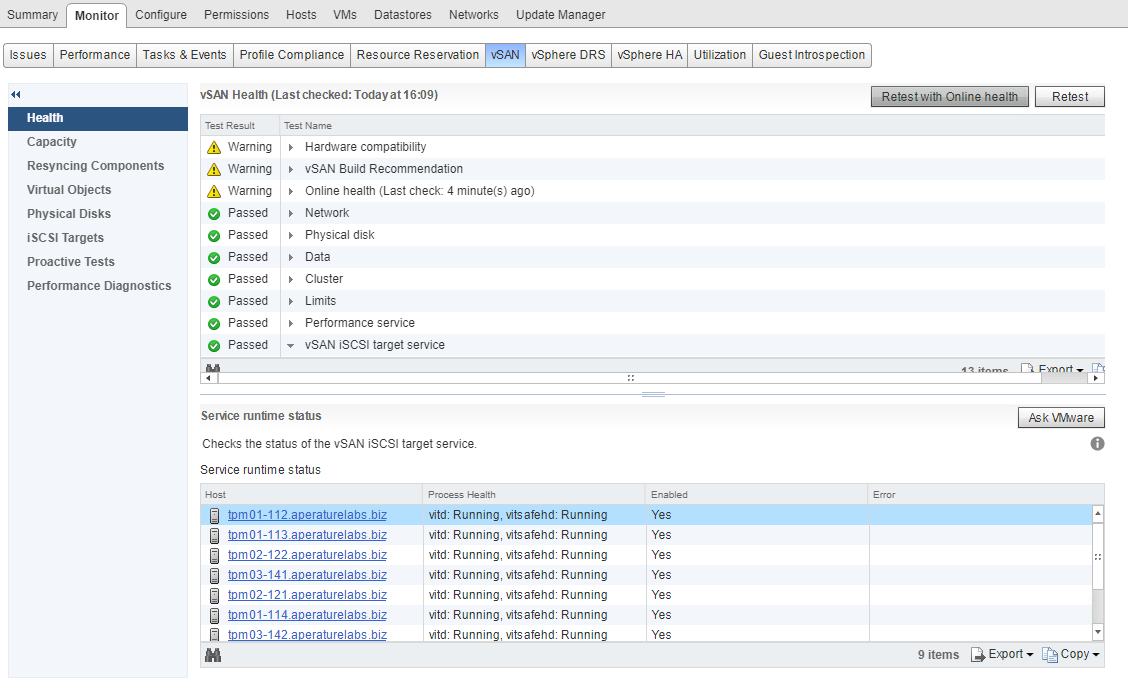
Once that’s been done, a re-run of the vSAN Health checker will show that the issue has been resolved and the iSCSI Target Service on the host is now running.
 References:
https://kb.vmware.com/s/article/2147603
References:
https://kb.vmware.com/s/article/2147603