Upgrading oVirt to 4.5.2 with HostedEngine
Last week oVirt 4.5.2 was released and with it came a bunch of updated and enhancements on the previous release. Nothing ground breaking by way of features, but a couple specific bug fixes that related to Veeam Backup for RHV v2 which is why I decided to upgrade my HomeLab instance off the bat. I posted last week around the (https://anthonyspiteri.net/whats-new-ovirt-4-5-1-kvm-rhv/), but that was quickly super-seeded with this latest release. It is safe to say that oVirt is on a more agressive release schedule given the nature of the product, but that I think is a good thing.
(https://www.ovirt.org/release/4.5.2/) with additional enhancements and a ton of new bug fixes
Upgrading Self Hosted Engine via Command:
The oVirt Engine runs as a virtual machine on self-hosted engine nodes (specialized hosts) in the same environment it manages. The minimum setup of a self-hosted engine environment includes one oVirt Engine virtual machine that is hosted on the self-hosted engine nodes. The Engine Appliance is used to automate the installation of an Enterprise Linux 8 virtual machine, and the Engine on that virtual machine. The self-hosted engine installation uses Ansible and the Engine Appliance (a pre-configured Engine virtual machine image) to automate the installation tasks. End to end, this took about 30-40 minutes on my home setup with the VMs living on high speed NVMe datastores.
Once installed and configured, when a new build is available, the process below can be followed to complete the upgrade process.
- Update KVM Host
- Put Hosted Engine into Maintenance Mode and check to ensure that’s been done
- Enter the Hosted Engine OS Command Line
- Run the Hosted Engine Check
- Update oVirt
- Run the Engine Setup and go through the options (I used all defaults)
- Update the Hosted Engine OS
End to End Process to Upgrade via Command:
On the KVM host, we need to first performa an update and then put it into Global Maintenance Mode
# dnf -y update
Last metadata expiration check: 0:07:49 ago on Thu 18 Aug 2022 08:03:35 EDT.
Dependencies resolved.
Nothing to do.
Complete!
# hosted-engine --set-maintenance --mode=global
# hosted-engine --vm-status

!! Cluster is in GLOBAL MAINTENANCE mode !!
--== Host lab-ovirt-01.sliema.lab (id: 1) status ==--
Host ID : 1
Host timestamp : 1864
Score : 3400
Engine status : {"vm": "up", "health": "good", "detail": "Up"}
Hostname : lab-ovirt-01.sliema.lab
Local maintenance : False
stopped : False
crc32 : 89f4435b
conf_on_shared_storage : True
local_conf_timestamp : 1864
Status up-to-date : True
Extra metadata (valid at timestamp):
 metadata_parse_version=1
 metadata_feature_version=1
 timestamp=1864 (Thu Aug 18 08:12:31 2022)
 host-id=1
 score=3400
 vm_conf_refresh_time=1864 (Thu Aug 18 08:12:31 2022)
 conf_on_shared_storage=True
 maintenance=False
 state=GlobalMaintenance
 stopped=False
!! Cluster is in GLOBAL MAINTENANCE mode !!

#
We then want to get to the console of the Hosted Engine VM to perform the actual updates.
# hosted-engine --console
The engine VM is running on this host
Escape character is ^]
CentOS Stream 8
Kernel 4.18.0-408.el8.x86_64 on an x86_64
Web console: https://ovirt-engine-45.sliema.lab:9090/ or https://192.168.1.53:9090/
ovirt-engine-45 login: root
Password:
Last login: Fri Aug 5 10:14:20 from _gateway
#
From here, we will perform a Hosted Engine Upgrade Check.
# engine-upgrade-check
VERB: Creating transaction
VERB: Queue package ovirt-engine-setup for update
VERB: Building transaction
VERB: Transaction built
VERB: Transaction Summary:
VERB: install : ovirt-engine-setup-base-4.5.2.2-1.el8.noarch
VERB: install : ovirt-engine-setup-plugin-ovirt-engine-common-4.5.2.2-1.el8.noarch
VERB: install : ovirt-engine-setup-plugin-cinderlib-4.5.2.2-1.el8.noarch
VERB: install : ovirt-engine-setup-plugin-vmconsole-proxy-helper-4.5.2.2-1.el8.noarch
VERB: install : python3-ovirt-engine-lib-4.5.2.2-1.el8.noarch
VERB: install : ovirt-engine-setup-plugin-websocket-proxy-4.5.2.2-1.el8.noarch
VERB: install : ovirt-engine-setup-plugin-imageio-4.5.2.2-1.el8.noarch
VERB: install : ovirt-engine-setup-4.5.2.2-1.el8.noarch
VERB: install : ovirt-engine-setup-plugin-ovirt-engine-4.5.2.2-1.el8.noarch
VERB: remove : ovirt-engine-setup-base-4.5.1.3-1.el8.noarch
VERB: remove : ovirt-engine-setup-plugin-cinderlib-4.5.1.3-1.el8.noarch
VERB: remove : ovirt-engine-setup-plugin-imageio-4.5.1.3-1.el8.noarch
VERB: remove : ovirt-engine-setup-plugin-ovirt-engine-4.5.1.3-1.el8.noarch
VERB: remove : ovirt-engine-setup-plugin-ovirt-engine-common-4.5.1.3-1.el8.noarch
VERB: remove : ovirt-engine-setup-plugin-vmconsole-proxy-helper-4.5.1.3-1.el8.noarch
VERB: remove : ovirt-engine-setup-plugin-websocket-proxy-4.5.1.3-1.el8.noarch
VERB: remove : python3-ovirt-engine-lib-4.5.1.3-1.el8.noarch
VERB: remove : ovirt-engine-setup-4.5.1.3-1.el8.noarch
VERB: Closing transaction with commit
VERB: Calling _plugins._unload
Upgrade available.
And then run yum update specifying oVirt repos
# yum update ovirt\*setup\*
Last metadata expiration check: 1 day, 1:46:22 ago on Wed 17 Aug 2022 06:32:59 AM EDT.
Dependencies resolved.
==================================================================================================
 Package Arch Version Repository Size
==================================================================================================
Upgrading:
 ovirt-engine-dwh-grafana-integration-setup noarch 4.5.4-1.el8 centos-ovirt45 90 k
 ovirt-engine-dwh-setup noarch 4.5.4-1.el8 centos-ovirt45 97 k
 ovirt-engine-extension-aaa-ldap noarch 1.4.6-1.el8 centos-ovirt45 129 k
 ovirt-engine-extension-aaa-ldap-setup noarch 1.4.6-1.el8 centos-ovirt45 26 k
 ovirt-engine-setup noarch 4.5.2.2-1.el8 ovirt-45-upstream 18 k
 ovirt-engine-setup-base noarch 4.5.2.2-1.el8 ovirt-45-upstream 119 k
 ovirt-engine-setup-plugin-cinderlib noarch 4.5.2.2-1.el8 ovirt-45-upstream 39 k
 ovirt-engine-setup-plugin-imageio noarch 4.5.2.2-1.el8 ovirt-45-upstream 27 k
 ovirt-engine-setup-plugin-ovirt-engine noarch 4.5.2.2-1.el8 ovirt-45-upstream 193 k
 ovirt-engine-setup-plugin-ovirt-engine-common noarch 4.5.2.2-1.el8 ovirt-45-upstream 124 k
 ovirt-engine-setup-plugin-vmconsole-proxy-helper noarch 4.5.2.2-1.el8 ovirt-45-upstream 39 k
 ovirt-engine-setup-plugin-websocket-proxy noarch 4.5.2.2-1.el8 ovirt-45-upstream 39 k
 python3-ovirt-engine-lib noarch 4.5.2.2-1.el8 ovirt-45-upstream 40 k
 unboundid-ldapsdk noarch 6.0.4-1.el8 centos-ovirt45 5.0 M

Transaction Summary
==================================================================================================
Upgrade 14 Packages

Total download size: 6.0 M
Is this ok :
Once it goes through the checks it will ask to update the packages now.
[ INFO ] ovirt-provider-ovn already installed, skipping.
 --== PACKAGES ==--
[ INFO ] Checking for product updates...
 Setup needs to install or update the following packages:
 grafana-7.5.15-2.el8.x86_64
 grafana-7.5.15-3.el8.x86_64 will be installed
 ovirt-engine-4.5.1.3-1.el8.noarch
 ovirt-engine-4.5.2.2-1.el8.noarch will be installed
 ovirt-engine-backend-4.5.1.3-1.el8.noarch
 ovirt-engine-backend-4.5.2.2-1.el8.noarch will be installed
 ovirt-engine-dbscripts-4.5.1.3-1.el8.noarch
 ovirt-engine-dbscripts-4.5.2.2-1.el8.noarch will be installed
 ovirt-engine-dwh-4.5.3-1.el8.noarch
 ovirt-engine-dwh-4.5.4-1.el8.noarch will be installed
 ovirt-engine-restapi-4.5.1.3-1.el8.noarch
 ovirt-engine-restapi-4.5.2.2-1.el8.noarch will be installed
 ovirt-engine-tools-4.5.1.3-1.el8.noarch
 ovirt-engine-tools-4.5.2.2-1.el8.noarch will be installed
 ovirt-engine-tools-backup-4.5.1.3-1.el8.noarch
 ovirt-engine-tools-backup-4.5.2.2-1.el8.noarch will be installed
 ovirt-engine-ui-extensions-1.3.4-1.el8.noarch
 ovirt-engine-ui-extensions-1.3.5-1.el8.noarch will be installed
 ovirt-engine-vmconsole-proxy-helper-4.5.1.3-1.el8.noarch
 ovirt-engine-vmconsole-proxy-helper-4.5.2.2-1.el8.noarch will be installed
 ovirt-engine-webadmin-portal-4.5.1.3-1.el8.noarch
 ovirt-engine-webadmin-portal-4.5.2.2-1.el8.noarch will be installed
 ovirt-engine-websocket-proxy-4.5.1.3-1.el8.noarch
 ovirt-engine-websocket-proxy-4.5.2.2-1.el8.noarch will be installed
 ovirt-web-ui-1.9.0-1.el8.noarch
 ovirt-web-ui-1.9.1-1.el8.noarch will be installed
 Replying "No" will abort Setup. You can pass the option "--offline" to prevent installing or updating packages.
 Do you wish to update them now? (Yes, No) [Yes]:
There is a final configuration check and validation to make sure everything is as expected
[ INFO ] Stage: Setup validation
 During execution engine service will be stopped (OK, Cancel) [OK]:
[ INFO ] Hosted Engine HA is in Global Maintenance mode.
[ INFO ] Cleaning stale zombie tasks and commands
 --== CONFIGURATION PREVIEW ==--
 Default SAN wipe after delete : False
 Host FQDN : ovirt-engine-45.sliema.lab
 Firewall manager : firewalld
 Update Firewall : True
 Upgrade packages : True
 Set up Cinderlib integration : False
 Keycloak installation : False
 Engine database host : localhost
 Engine database port : 5432
 Engine database secured connection : False
 Engine database host name validation : False
 Engine database name : engine
 Engine database user name : engine
 Engine installation : True
 PKI organization : sliema.lab
 Set up ovirt-provider-ovn : True
 Grafana integration : True
 Grafana database user name : ovirt_engine_history_grafana
 Configure VMConsole Proxy : True
 Configure WebSocket Proxy : True
 DWH installation : True
 DWH database host : localhost
 DWH database port : 5432
 DWH database secured connection : False
 DWH database host name validation : False
 DWH database name : ovirt_engine_history
 DWH database user name : ovirt_engine_history
 Backup DWH database : True
And a short time later the update has been completed successfully.
 --== SUMMARY ==--
[ INFO ] Starting service: grafana-server
[ INFO ] Starting dwh service
[ INFO ] Starting Grafana service
[ INFO ] Restarting ovirt-vmconsole proxy service
 Web access is enabled at:
 http://ovirt-engine-45.sliema.lab:80/ovirt-engine
 https://ovirt-engine-45.sliema.lab:443/ovirt-engine
 Internal CA fingerprint: SHA256: 40:7F:75:4A:9E:77:91:24:FA:E6:0C:B5:36:3F:72:C2:A2:30:33:3C:64:C1:AA:14:71:07:F0:8E:C8:27:1F:77
 SSH fingerprint: SHA256:RUXsgMI3ySNyerKWtAaCCxpxCXmEJ/yXujPFnTF6/eM
[ INFO ] Starting engine service
 Web access for grafana is enabled at:
 https://ovirt-engine-45.sliema.lab/ovirt-engine-grafana/
 Please run the following command on the engine machine ovirt-engine-45.sliema.lab, for SSO to work:
 systemctl restart ovirt-engine
 --== END OF SUMMARY ==--
[ INFO ] Restarting httpd
[ INFO ] Stage: Clean up
 Log file is located at /var/log/ovirt-engine/setup/ovirt-engine-setup-20220818082014-nitnnu.log
[ INFO ] Generating answer file '/var/lib/ovirt-engine/setup/answers/20220818082501-setup.conf'
[ INFO ] Stage: Pre-termination
[ INFO ] Stage: Termination
[ INFO ] Execution of setup completed successfully
from here there is one more yum update to be run and then finally taking HostedEngine out of maintenance mode.
!! Cluster is in GLOBAL MAINTENANCE mode !!

# hosted-engine --set-maintenance --mode=none
# hosted-engine --vm-status

--== Host lab-ovirt-01.sliema.lab (id: 1) status ==--

Host ID : 1
Host timestamp : 3990
Score : 3400
Engine status : {"vm": "up", "health": "good", "detail": "Up"}
Hostname : lab-ovirt-01.sliema.lab
Local maintenance : False
stopped : False
crc32 : 7065e7a7
conf_on_shared_storage : True
local_conf_timestamp : 3990
Status up-to-date : True
Extra metadata (valid at timestamp):
 metadata_parse_version=1
 metadata_feature_version=1
 timestamp=3990 (Thu Aug 18 08:47:57 2022)
 host-id=1
 score=3400
 vm_conf_refresh_time=3990 (Thu Aug 18 08:47:57 2022)
 conf_on_shared_storage=True
 maintenance=False
 state=GlobalMaintenance
 stopped=False
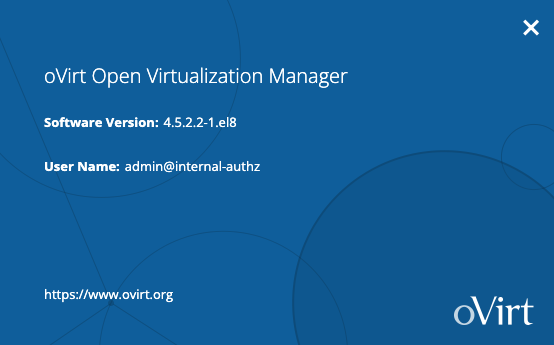
Going back to the Web Interface we are now running the latest 4.5.2 build.